
An on-site program is now available for the "3D Printed Assistive Device Creator Certification Course,"
managed by the NPO ICT Rehabilitation Research Association.
This program allows participants to take the course while gaining hands-on experience with 3D printers.
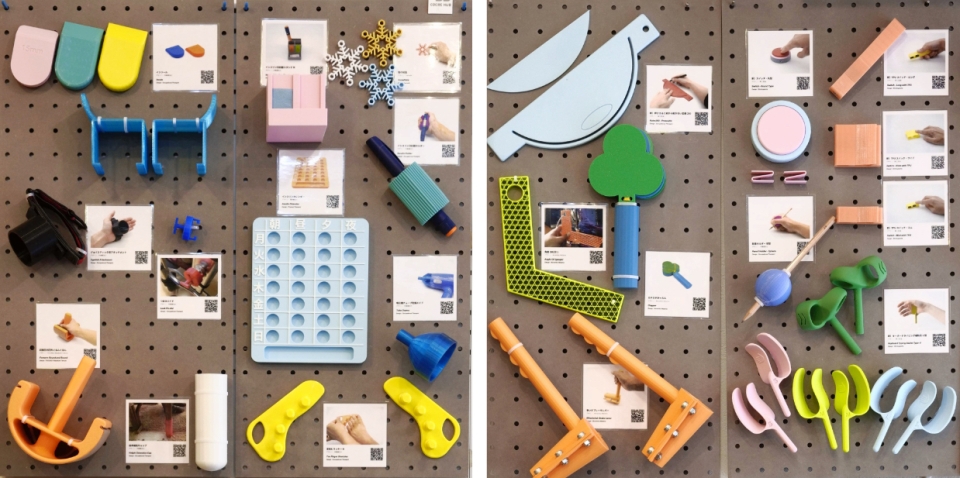
Case studies of assistive devices desplayed in FabLab Shinagawa
Course Overview
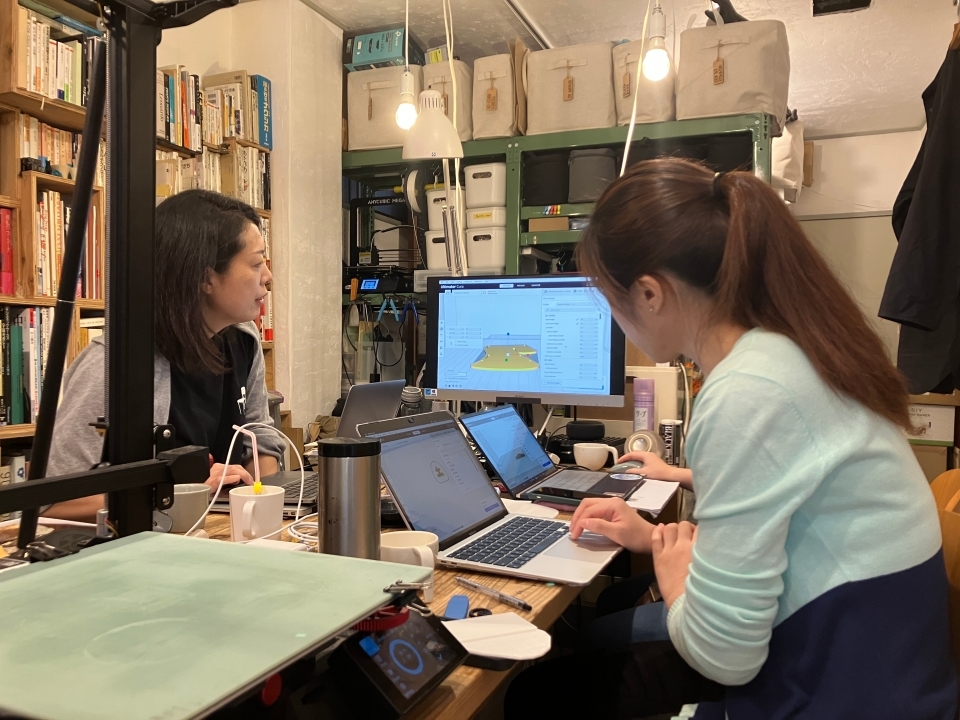
This on-site version is highly recommended for those who feel uneasy about progressing through the online course alone. Participants will be supported by instructors—FabLab Shinagawa Founder Hamanaka and Director Hayashi—while using the equipment available at the lab.
- 1. Beginner Level
- Goal:
Gain basic knowledge and learn to 3D print using pre-configured files.
Content:
Overview of 3D printing, significance of 3D printed assistive devices, case studies, materials, intellectual property, and product liability.
Estimated Time: Approx. 2 hours (1h video + 1h hands on). - 2. Intermediate Level
- Goal:
Generate customized models using parametric services, basic modeling with Tinkercad, and proper slicing of STL files.
Content:
Creating models with parametric services and Tinkercad (pencil/straw holders), basic slicing for PLA/TPU.
Estimated Time:
Approx. 4.5 hours (1h video + 2h practice + 1.5h hands on). - 3. Advanced Level
- Goal:
Design assistive devices optimized for 3D printing, understand design patterns, and handle complex 3D models with detailed print settings.
Content:
3D modeling with Shapr3D (spherical pencil holder, bottle opener), advanced slicer operations (scaling, orientation, infill, supports), and design tips for FDM printers.
Estimated Time:
Approx. 7.5 hours (1.5h video + 3h operation + 3h hands on). - 4. Instructor Level
- Goal:
Create highly complex models, master slicer software, design hand splints, provide devices to users appropriately, and teach beginner to advanced students.
Content:
Advanced Shapr3D (teacup), advanced slicing with Bambu Studio (fuzzy skin, connectors, hole punching), and hand splint modeling.
Estimated Time:
Approx. 13.5 hours (1.5h video + 4h operation + 8h hands on).
Participant Feedback
please visit the ICT Rehabilitation Research Association's course introduction page here.
Schedule & Venue
Schedule: Held upon request. Beginner/Intermediate: 4 hours Full Course (Beg. to Instructor): 2 days
- Capacity:
- 1–4 people per session.
- Venue: FabLab Shinagawa
- https://www.fablab-shinagawa.org/access.html
4-6-15 Nakanobu, Shinagawa-ku, Tokyo (Near Nakanobu Station)
Target Audience
Anyone wishing to complete the certification course with in-person support.
- • Medical/care professionals wanting to create practical tools.
- • Anyone interested in using 3D printers to improve daily life, regardless of age or industry.
Note: Proficiency in daily PC use and high school-level academic ability are required.
Implementation Method (Implementation Details)
- • Pre-course Preparation: You will need to create an account for the "3D Printed Assistive Device Creator Certification Course" operated by the NPO ICT Rehabilitation Research Association and proceed with the required course modules in advance. (Detailed instructions will be provided once your enrollment is confirmed.)
- • Course Materials & Equipment: Materials will be prepared at the venue. (No materials will be sent in advance.) Please bring your own PC, smartphone, and earphones, as you will be using them to go through the on-demand video lectures at the venue.
- • On-site Learning Style: Each participant will progress through the on-demand lectures individually while having the opportunity to ask the instructor questions directly whenever needed. For assignments requiring a 3D printer, you will use the equipment provided at the venue.
- • Post-course Support: For any sections not completed during the scheduled session, follow-up support will be provided online at a later date.
- • Completion and Certification: * "Completion": Achieved by passing the online tests within the on-demand course.
- • "Certification": Granted upon successful review of your practical assignments. If the assignments are completed and reviewed at the venue, certification is granted on the spot. If not completed within the session timeframe, you may submit them at a later date for review to receive certification.
Requirements and Technical Environment
Please bring your own PC (Windows/Mac), smartphone, and earphones. Please check the specifications for your PC and smartphone/tablet below.
[PC]
- CPU: Intel Core i5 or equivalent or higher (Recommended)
- Storage (HDD/SSD): 250GB or more (Recommended)
- Memory (RAM): 8GB or more (Recommended)
- Connectivity: Must be capable of Wi-Fi connection (Required)
- OS: Windows 11 or higher
Please ensure your PC meets these specifications before participating. If you do not own a compatible PC, please consider using a rental service. Network: Wi-Fi is available at the venue.
[Smartphone or Tablet]
- Android: Version 8.0 or higher
- iOS: Version 16 or higher
Please have one of the above devices ready.
Course Fees (Tax included, materials included)
- Beginner & Intermediate Course:
- USD: 400 per person.
- Full Course (Beginner to Instructor):
- USD: 1,000 per person.
How to Apply
Application: Submit the online form.
Scheduling: Dates will be coordinated after application.
Payment: Pay via invoice at least one week before the course.
On the Day: Bring your own PC, smartphone/tablet, and earphones (for video tutorials).
- Course Materials
- Materials will be provided at the venue. Please note that no materials will be sent in advance.
- On the Day of the Course
- Please arrive at the venue at least 10 minutes before the scheduled start time.
On the day of the course, you will progress through the theoretical lectures using online materials, while practical assignments will be completed using 3D printers.
Certification: Your certificate will be sent to the email address provided during registration.
Access Period: You will have continued access to the course materials for one year from the date your enrollment begins.
Contact: Inquiry via Google Form
Inquiry / Application Form
Organizer: FabLab Shinagawa
Supervisor: NPO ICT Rehabilitation Research Association